How Automated Follow-Up Workflows Recover Leads Your Team Has Already Given Up On
Ask any Indian sales manager to estimate how many leads their team followed up on within 24 hours of the first call. The honest answer is usually somewhere between 40 and 60 percent. Ask them how many leads were followed up at all before going cold. The number drops further.
The problem is not that agents are lazy. It is that manual follow-up at scale is structurally impossible. An agent making 60 calls a day, across leads at different stages with different callback times, cannot keep all of that in their head. Some fall through. Most fall through eventually. The only fix that works at scale is automation.
Why manual follow-up systems fail
The tools most Indian sales teams use for follow-up tracking: WhatsApp reminders to themselves, starred entries in a spreadsheet, phone alarm reminders, sticky notes on the desk. These work for 5 leads. They collapse for 50.
The problem compounds because the manager cannot see the gaps. There is no system showing which leads have not been called back. There is no alert when a callback promise is missed. The only way to find out is to audit the spreadsheet row by row, which no one has time to do daily.
By the time the manager notices a lead has gone cold, it has been 5 days. The customer has moved on. The competitor who called on day 2 got the deal.
What a follow-up workflow actually does
A follow-up workflow is a rule: when X happens, do Y automatically, without any agent action.
X is a trigger: a call outcome logged in the CRM, a status change, or a time condition (no action in 48 hours). Y is an action: send an SMS, send a WhatsApp message, reassign the lead, notify the supervisor.
The agent makes the call and logs the outcome. Everything after that happens automatically. No spreadsheet update, no manual reminder, no WhatsApp sent from a personal phone.
Five workflows that recover the most leads
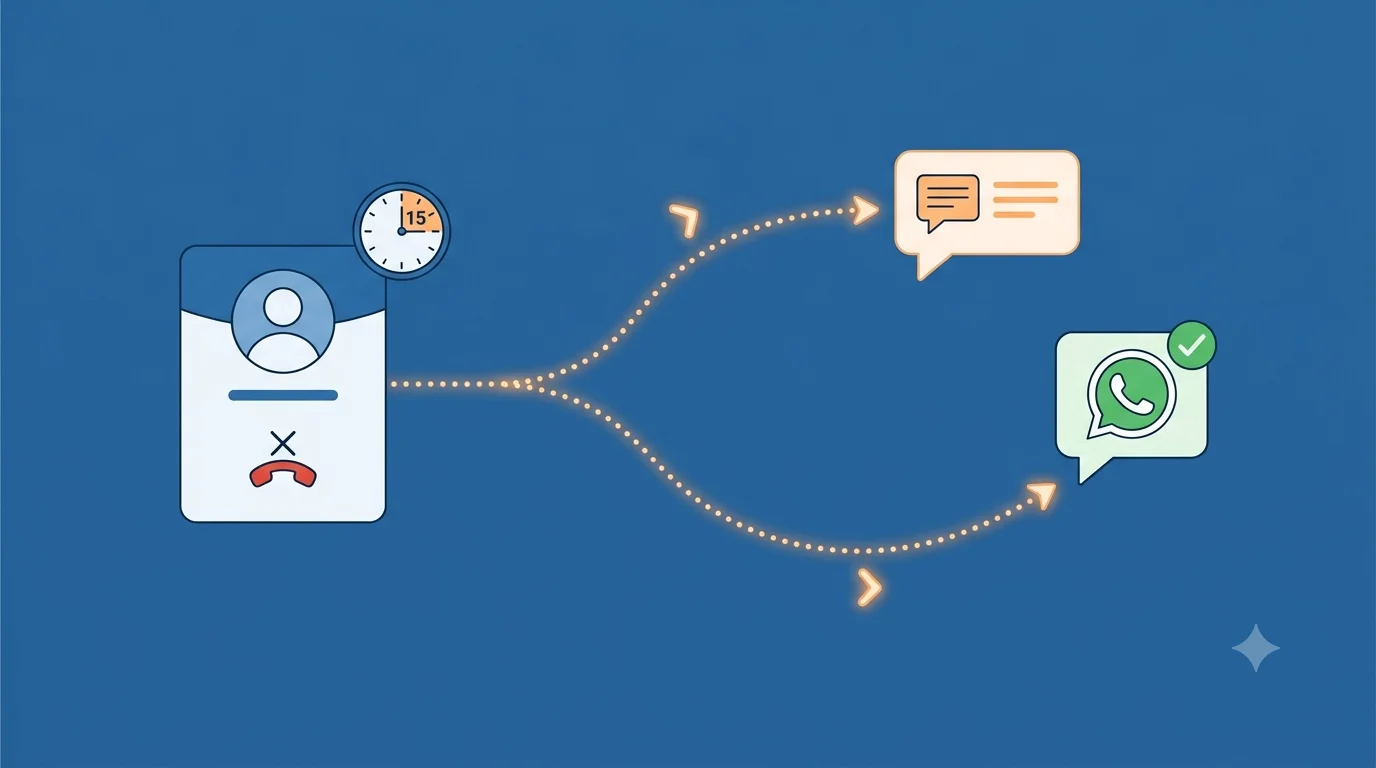
1. Unanswered call recovery. Agent calls, no answer, logs disposition as No Answer. Workflow fires 15 minutes later: SMS to the lead saying the team tried to reach them and will try again. This alone recovers 10 to 15 percent of no-answer leads who call back after seeing the message, without the agent doing anything extra.
2. Interested but stalled. Lead is marked Interested but no follow-up call or WhatsApp has happened in 24 hours. Workflow sends an automatic reminder to the agent and a WhatsApp message to the lead keeping the conversation warm. The lead does not go cold waiting for the agent to remember.
3. Callback promise kept automatically. Agent logs a call with disposition Callback Scheduled and sets the time. At that time, a reminder fires to the agent on their phone. If the agent still does not call within 30 minutes of the scheduled time, a supervisor notification fires. The promise is tracked without anyone manually monitoring it.
4. Assigned but never called. A lead has been in Assigned status for 48 hours with no call logged. Workflow auto-reassigns it to the next available agent in the same cluster and notifies the original agent that the lead was moved. This stops leads from sitting dead in an agent queue who is on leave or overloaded.
5. Re-engagement after silence. Lead has had no activity in 7 days. Workflow sends a WhatsApp message with a different angle or a new offer. Some percentage of these leads re-engage. Without the workflow, they were already written off.
The compounding effect on revenue
Each recovered lead that converts pays for the workflow setup many times over. The maths are straightforward: if your team generates 500 leads per month and 20 percent go cold due to missed follow-ups, that is 100 leads lost per month. If your conversion rate on properly followed-up leads is 10 percent, automated recovery of even half those cold leads means 5 additional sales per month, every month, with no new headcount.
The number compounds over time because the pipeline does not leak anymore. Leads that would have been lost in month one are still in the system in month two, moving through the funnel on the right schedule.
What a workflow trigger looks like in Calliyo
Calliyo workflows are built on three components: trigger, condition, action.
Trigger: a call is logged with a specific disposition, a lead status changes, a time condition is met (no call in X hours, callback time reached), or a specific status has been unchanged for Y days.
Condition: optional filters that narrow when the action fires. Examples: only trigger if lead is in a specific category, only trigger if the agent has not already sent a WhatsApp in the last 24 hours, only trigger during business hours.
Action: send an SMS using a template with the lead's name and agent number interpolated, send a WhatsApp Business message, reassign the lead to a different agent or queue, send a notification to the supervisor, update the lead status automatically.
A workflow that fires an unanswered-call SMS takes about two minutes to configure. It then runs on every unanswered call across the entire team, indefinitely, without manager involvement.
What to automate and what to keep manual
Not every follow-up should be automated. The right division: automate the structural touchpoints that should always happen (first SMS after no answer, 24-hour re-engagement, callback reminders) and keep personalised follow-ups manual (the conversation after a site visit, negotiation calls, high-value deal follow-through).
Automation handles the volume. Human judgment handles the nuance. The goal is not to replace agent follow-up but to ensure nothing falls through the cracks while agents are focused on the conversations that need them.
If your team is currently running follow-ups on reminders and spreadsheets and losing leads you should not be losing, start the Calliyo trial. Set up your first workflow in the same session and see what it catches in the first week.
Frequently asked questions
How many leads does a typical Indian SME lose to missed follow-ups?
Industry estimates put it at 30 to 50 percent of leads that go cold due to follow-up failure rather than genuine disinterest. The number is higher in teams using spreadsheets or manual tracking. Most managers are surprised when they audit their own pipeline and see how many leads had zero activity after the first call.
Does follow-up automation feel impersonal to customers?
Not if the messages are written well. An SMS that says the agent tried to reach them and will call again is helpful, not impersonal. The bar is whether the message is relevant and timely, not whether a human pressed send. Automated messages sent within 15 minutes of a missed call outperform manual messages sent the next day every time.
What is the difference between a follow-up reminder and a follow-up workflow?
A reminder tells the agent to do something. A workflow does something automatically. Reminders still depend on the agent acting on them. Workflows fire regardless of what the agent does next. For high-volume teams, workflows are more reliable because they do not depend on agent memory or discipline.
Can workflows send messages in regional Indian languages?
Yes. Calliyo workflow SMS and WhatsApp templates support Unicode, which means messages can be written in Hindi, Marathi, Tamil, Gujarati, or any other language. You configure the template once per language cluster and the system uses the right template based on the lead's language tag.
What happens if a workflow fires and the lead has already converted?
Workflow conditions prevent this. You add a condition that the workflow only fires if the lead status is not Customer or Closed. The workflow checks current status before firing and skips leads that have already moved past the trigger condition.
How long does it take to set up a follow-up workflow in Calliyo?
A basic workflow (trigger on No Answer, action sends SMS after 15 minutes) takes about two minutes to configure. More complex workflows with multiple conditions and branching actions take 10 to 15 minutes. Most teams set up three to five workflows in their first session and add more as they identify the specific patterns where leads are falling through.