How to Build a Sales Pipeline That Matches How Indian Customers Actually Buy
Most CRM pipeline templates were designed by people selling SaaS to American companies. Stages like Proposal Sent, Demo Completed, Contract Review, and Negotiation map to a weeks-long enterprise sales motion where multiple people are involved and every step has a document trail.
Indian telecalling sales works differently. The whole deal often happens across two or three phone calls. There is no proposal document. The agent is talking to the decision-maker directly. The pipeline stages need to reflect what happened on the last call, not a generic funnel designed for a different kind of selling.
Why generic pipelines fail telecalling teams
The symptoms are predictable. Agents mark leads as Interested because that is the closest available stage to what actually happened, which was that the customer said call me back Thursday. By Thursday, the lead is still in Interested, which could mean anything from genuinely about to buy to mildly polite on the first call. The manager looking at 60 Interested leads has no idea which 10 of them are actually hot.
The other failure: stages that require an action the agent cannot take from a phone call. Proposal Sent requires a document. Demo Scheduled requires a calendar invite. Agents in a telecalling workflow do not have these steps. So they stop updating the pipeline because none of the available stages match what is actually happening.
Design statuses around call outcomes, not funnel stages
The right mental model: lead statuses should tell you what happened on the last call and what happens next. Not where the lead is in an abstract funnel.
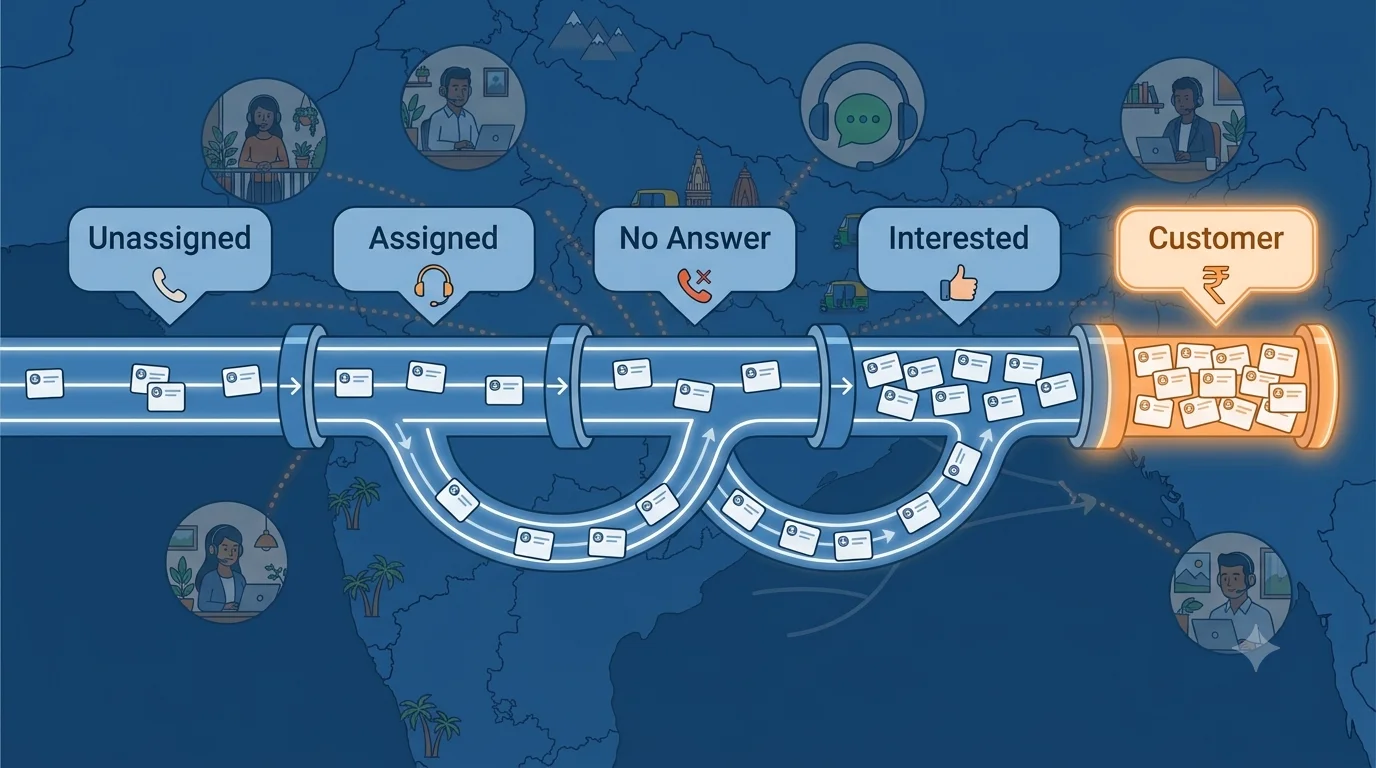
Calliyo's default status set is built on this logic:
- Unassigned - lead has come in but no agent has been assigned
- Assigned - agent has been assigned but no call made yet
- No Answer - call was made, customer did not pick up
- Busy - customer was busy, asked to call back
- Callback Scheduled - specific time agreed for the next call
- Interested - customer expressed interest, follow-up in progress
- Not Interested - customer declined clearly
- Wrong Number - number is incorrect or disconnected
- Customer - converted, deal closed
Each status answers: what happened, and what is the next action? Callback Scheduled means call at the agreed time. Interested means follow up with details and check back in 24 to 48 hours. Not Interested means close the loop. Every status has an implied next step.
Customising statuses for your industry
The default set covers most outbound telecalling scenarios. But specific industries have intermediate steps that matter enough to track separately.
Real estate: the pipeline is built around physical visits. Statuses that matter: Inquiry (first call, lead is aware), Site Visit Scheduled (date confirmed), Site Visit Done (visited, decision pending), Negotiating (price or terms discussion), Booked (token paid), Not Interested, Follow Up.
Insurance: the sale requires documents and underwriting. Statuses: New Lead, Contacted, Proposal Shared, Document Pending, Underwriting, Policy Issued, Not Interested, Lapsed (for renewals that did not convert).
EdTech and courses: the conversion happens through a demo. Statuses: Inquiry, Demo Scheduled, Demo Done, Enrolled, Not Interested, Callback, Scholarship Pending (for products where fee negotiation is common).
In Calliyo, company admins configure the status set for their business. Agents see only the statuses relevant to their workflow. The status set can differ by product line or team within the same company if needed.
The zombie lead problem
Every pipeline has zombie leads: statuses that leads enter and never leave. The most common zombie status is Interested. Leads get marked Interested and then sit there for weeks because the agent does not know what action to take next and the manager is not monitoring individual lead movement.
The fix is to make every status time-bounded or action-triggered. An Interested lead should have a follow-up date set at the time of disposition. If that follow-up date passes with no activity, the lead automatically triggers a supervisor alert or a re-engagement workflow. A lead cannot stay in Interested indefinitely without something happening.
In Calliyo, workflow automation handles this: set a rule that any lead in Interested with no activity for 48 hours triggers a reminder to the agent and a WhatsApp to the lead. The pipeline cannot go silent without the system surfacing it.
Using status change as a workflow trigger
Status changes are the most reliable trigger point for automations because they happen at the moment the agent records something meaningful.
Examples of status-triggered workflows that Indian sales teams use:
- Status moves to No Answer: SMS fires to lead within 10 minutes
- Status moves to Interested: WhatsApp sends product brochure within 1 hour
- Status moves to Site Visit Scheduled: WhatsApp sends confirmation with address and time
- Status moves to Document Pending: WhatsApp sends document checklist
- Status moves to Customer: WhatsApp sends welcome message and onboarding steps
- Status stays in Callback Scheduled for more than 2 hours past the scheduled time: supervisor notification fires
Each of these eliminates a manual step that agents currently do inconsistently. The automation is consistent because it runs on every status change that matches the trigger condition.
Reading pipeline health from status distribution
A status distribution report tells you where your pipeline is healthy and where it is stalled. Look at the percentage of your active leads in each status and the average time spent in each status.
If 50 percent of leads are in No Answer with an average age of 4 days, you have a contact rate problem. If 40 percent are in Interested with an average age of 6 days, you have a follow-up conversion problem. If 20 percent have been in Callback Scheduled for more than 48 hours, you have a callback compliance problem.
The status distribution does not tell you the solution, but it tells you exactly where to look. A manager who checks this report weekly can identify systemic problems before they show up in monthly revenue numbers.
If your current pipeline has stages your agents do not recognise from their actual calls, start the Calliyo trial. Configure your status set in the first session to match how your team actually sells, and see what the pipeline looks like when the statuses mean something.
Frequently asked questions
How many lead statuses should a telecalling team have?
Between 8 and 12 is the practical range. Too few and agents have to pick the closest available option, which makes the data meaningless. Too many and agents spend time deciding between similar statuses instead of calling the next lead. Every status should have a clear definition and a defined next action.
Can different teams within the same company have different status sets?
Yes. In Calliyo, status sets are configurable at the company level and can be scoped by team or product line if needed. A real estate team and an insurance team within the same company can have completely different pipeline stages that match their respective sales processes.
What is the difference between a lead status and a call disposition?
A call disposition records what happened on a specific call (No Answer, Busy, Interested). A lead status reflects the current state of the lead based on its history of call dispositions. In Calliyo, logging a call disposition updates the lead status automatically, so agents do not have to update two separate fields.
How do you prevent agents from marking leads as Not Interested to clear their queue?
Two controls: first, require a mandatory note when marking Not Interested so there is an audit trail of why. Second, enable supervisor review for Not Interested dispositions on high-value lead sources. The manager can reopen leads flagged incorrectly. Over time, the recording review process also catches patterns of early closure.
Can lead statuses trigger automated actions in Calliyo?
Yes. Status changes are one of the primary workflow triggers. When a lead moves to a specific status, you can configure automatic SMS, WhatsApp messages, agent reminders, supervisor notifications, or lead reassignments. The automation runs on every status change that matches the trigger condition, across all agents and all leads simultaneously.
How do you track leads that were marked Not Interested but might be worth re-approaching later?
Create a re-engagement workflow: leads in Not Interested for more than 30 days automatically receive a brief WhatsApp re-engagement message with a different angle. Those who respond re-enter the pipeline as a warm lead. This recovers a small but consistent percentage of leads that said no in one context but are open in another.